What Is an In-App Browser? Why Links Open Inside Instagram and Co.
Short answer
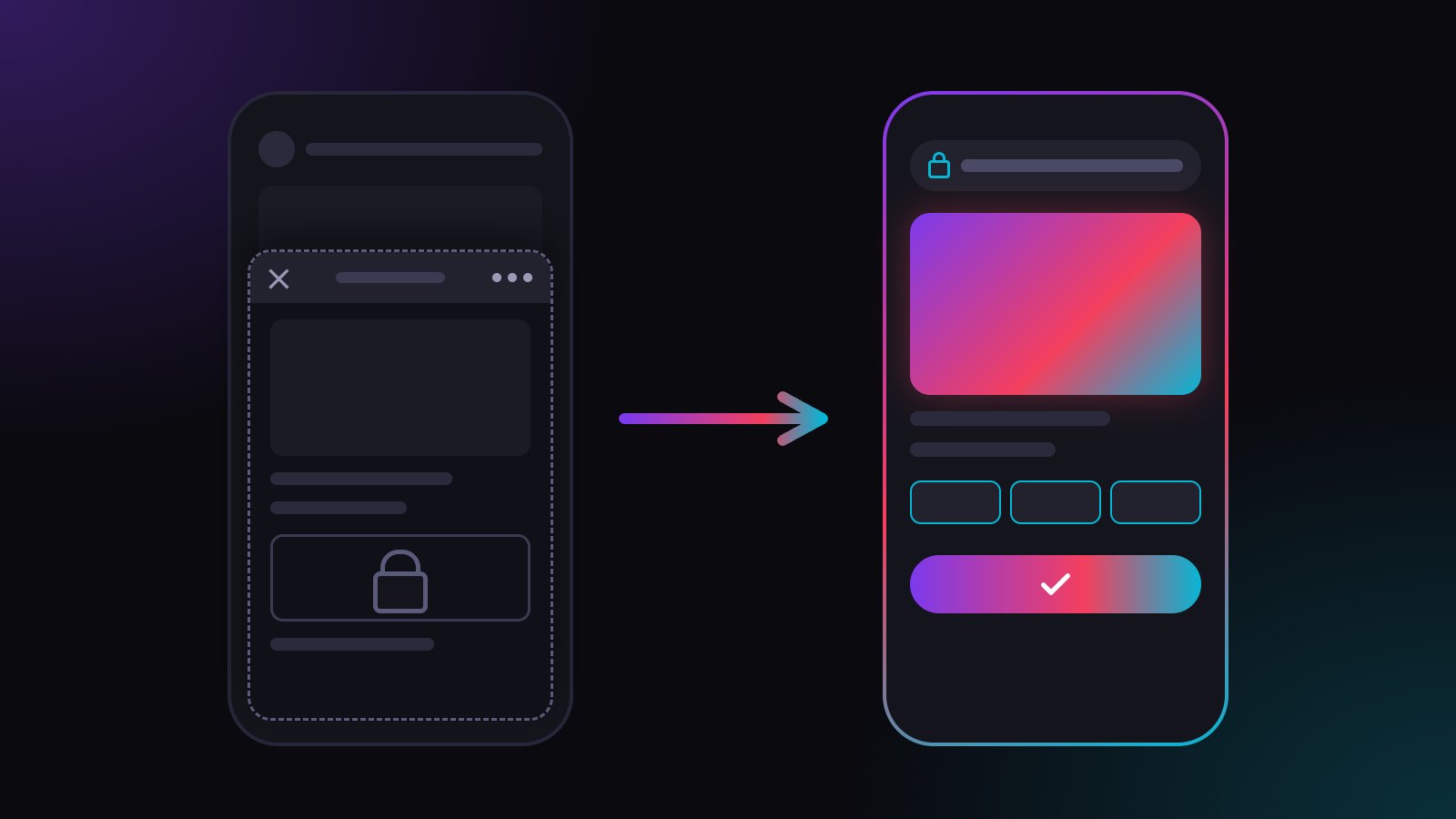
An in-app browser is a small browser built into an app like Instagram, Facebook or TikTok. When you tap a link there, the app loads the page itself instead of handing it to Safari or Chrome, so you stay inside the app, without your usual logins, saved passwords or extensions.
You tap a link on Instagram, the page slides up, and you are still inside Instagram. That is the in-app browser. Most people never notice it, yet it decides whether your fans arrive logged in, whether they can pay and whether your link opens the right app. Here is what an in-app browser is, how to spot one and how to get out of it.
What is an in-app browser?
An in-app browser is a small browser that lives inside another app. When you tap a link in Instagram, Facebook or TikTok, the app does not send it to Safari or Chrome. It loads the page itself, in a window that sits on top of the app.
For the person tapping, it looks like a normal web page. Under the hood, it is a separate browser with its own storage, run by the app you came from.
How does an in-app browser work?
Apps use a building block from the operating system to show web pages. On the iPhone that is Apple's WKWebView, which Apple's own documentation describes as an object that displays web content "such as for an in-app browser". On Android, apps use WebView or Custom Tabs. The app wraps this view in its own toolbar, usually with a close button (✕) and a three-dot menu (⋯).
The page itself is rendered by a real browser engine, so most sites look fine. The difference is everything around it: the cookies, the saved passwords, and who else can run code on the page.
Which apps open links in an in-app browser?
Almost every large social app does. Instagram, Facebook and Threads open links in Meta's in-app browser. TikTok, Snapchat and LinkedIn have their own. X opens bio links in an embedded Safari view: it looks like Safari, but it still runs inside the X app.
For creators, that means the in-app browser is not an edge case. It is where most taps on a link in bio happen.
How can I tell if I am in an in-app browser?
Look for three signs: you never left the app, the top bar belongs to the app instead of your browser, and the ⋯ menu offers to open the page in your browser.
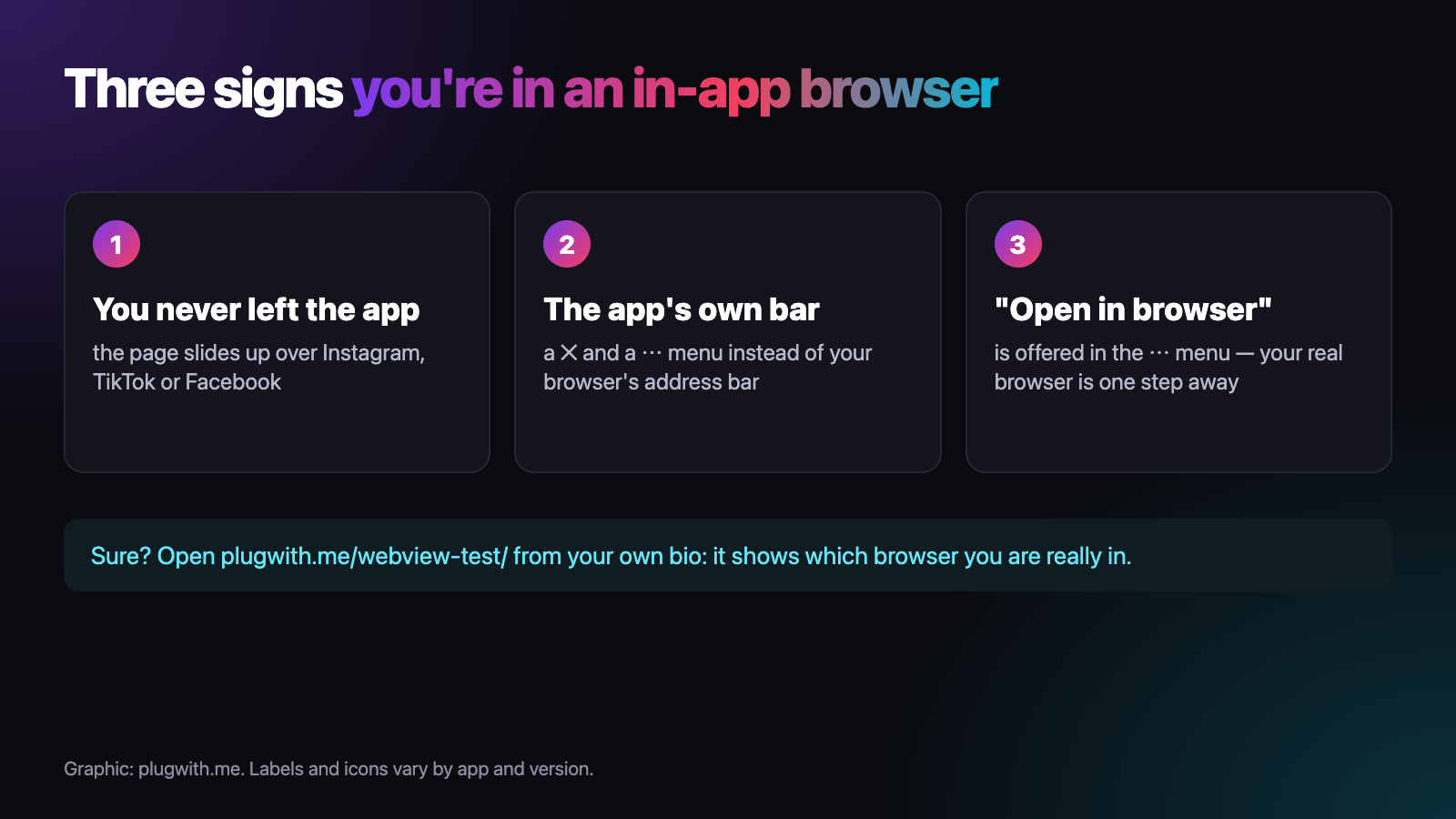
If you want certainty, open our free WebView test from your own bio. It tells you which browser you are really in and what is missing there.
Why do apps use in-app browsers?
Because it keeps you in the app. One tap on ✕ and you are back in your feed, instead of in Safari wondering how you got there. The app also stays in control of the visit. In 2022, developer Felix Krause showed that the iOS apps of Instagram and Facebook inject their own JavaScript into websites opened in their in-app browsers. Meta responded that the code serves to respect users' tracking choices.
What changes for my visitors inside an in-app browser?
The in-app browser keeps its own cookies, separate from Safari and Chrome. A fan who is logged in everywhere on their phone arrives as a stranger on your page. Saved passwords and autofill are missing, links to apps like Spotify or YouTube often stay on the website instead of opening the app, and checkouts can stall.
The full comparison, capability by capability, is in in-app browser vs real browser. What this means for tips and memberships is covered in why Ko-fi tips stall inside Instagram and why paywalled links lose members.
How do I get out of an in-app browser?
As a visitor: tap ⋯ and choose the option to open the page in your browser. The label differs from app to app, but it is always in that menu.
As a creator, you cannot ask every fan to do that. A line like "tap ⋯ and open in browser" in your bio costs space and still loses most taps. A plugwith.me link does the step for them. It notices the in-app browser when the page loads and moves the visitor to the real browser, confirmed on a real iPhone from Instagram, Facebook, WhatsApp, Threads and Telegram:
- Instagram: Meta's own "open outside Instagram" dialog, one tap on Open.
- Facebook: two taps, our Continue button and then Facebook's own prompt. Details in how to get fans from Facebook to Safari.
- WhatsApp and Telegram: the real browser opens immediately.
- Threads: the visitor lands in Safari with no confirmation step.
Once your fan is in the real browser, their logins, saved passwords and app hand-offs are back. How each route works is documented in our guide to escaping the in-app browser.
Create your free plugwith.me link, no card needed.
Not ready to switch? Get occasional product updates and tips by email: subscribe to the plugwith.me newsletter.
Frequently asked questions
What is the difference between an in-app browser and a webview?
A webview is the building block: a component such as Apple's WKWebView or Android's WebView that lets an app show web pages. An in-app browser is a webview that the app wraps in its own toolbar, usually with a close button and a menu.
How do I know if I am in an in-app browser?
You tapped a link and never left the app. Instead of your browser's address bar you see the app's own bar with a close button and a three-dot menu, and that menu offers to open the page in your browser. To be sure, open plugwith.me/webview-test/ from the app.
Why do apps open links in their own browser?
It keeps you inside the app. You can close the page and be back in your feed with one tap, and the app keeps control over what happens around the visit.
Can I switch the in-app browser off?
As a visitor, you can open a single page in your real browser through the three-dot menu. As a creator, you cannot change the settings in your fans' apps. What you control is your link, and a plugwith.me link moves visitors out of the in-app browser for you.
Is an in-app browser a security risk?
It is not malware, but the host app is in control of the page. In 2022, researcher Felix Krause showed that the iOS apps of Instagram and Facebook inject their own JavaScript into websites opened in their in-app browsers. Meta said the code serves to respect users' tracking choices.
Get Instagram taps out of the in-app browser.
Made for In-App Browsers · Explained. From Instagram, one plugwith.me link leaves the in-app browser and opens your fan's real browser, with one tap on Instagram's own confirmation.
Create your free link →Keep reading
- Why Your Spotify Link Won't Open the App from Instagram (and the Fix)
- Whatnot & TikTok Shop Checkouts Fail Inside Instagram — Here's the Fix
- What Is a Deeplink? Universal Links, App Links and URI Schemes Explained
- The complete guide to escaping in-app browsers
- Test your own link inside an in-app browser