Facebook Opens Your Link in Its Own Browser? How to Get Fans to Safari
Short answer
Facebook opens every link in its own in-app browser, so fans see your page without their logins and saved passwords. With a plugwith.me link, a fan on iPhone gets from Facebook into Safari in two taps: our Continue button, then Facebook's own prompt.
You post your new release, your shop or your membership page on Facebook. People tap it, and then not much happens: few sales, few sign-ups, no new followers on the other side. The link is not broken. Facebook opened it in its own in-app browser, and that browser is missing the things your fans need to act. Here is why, and how to get them to Safari.
Why does Facebook open my link in its own browser?
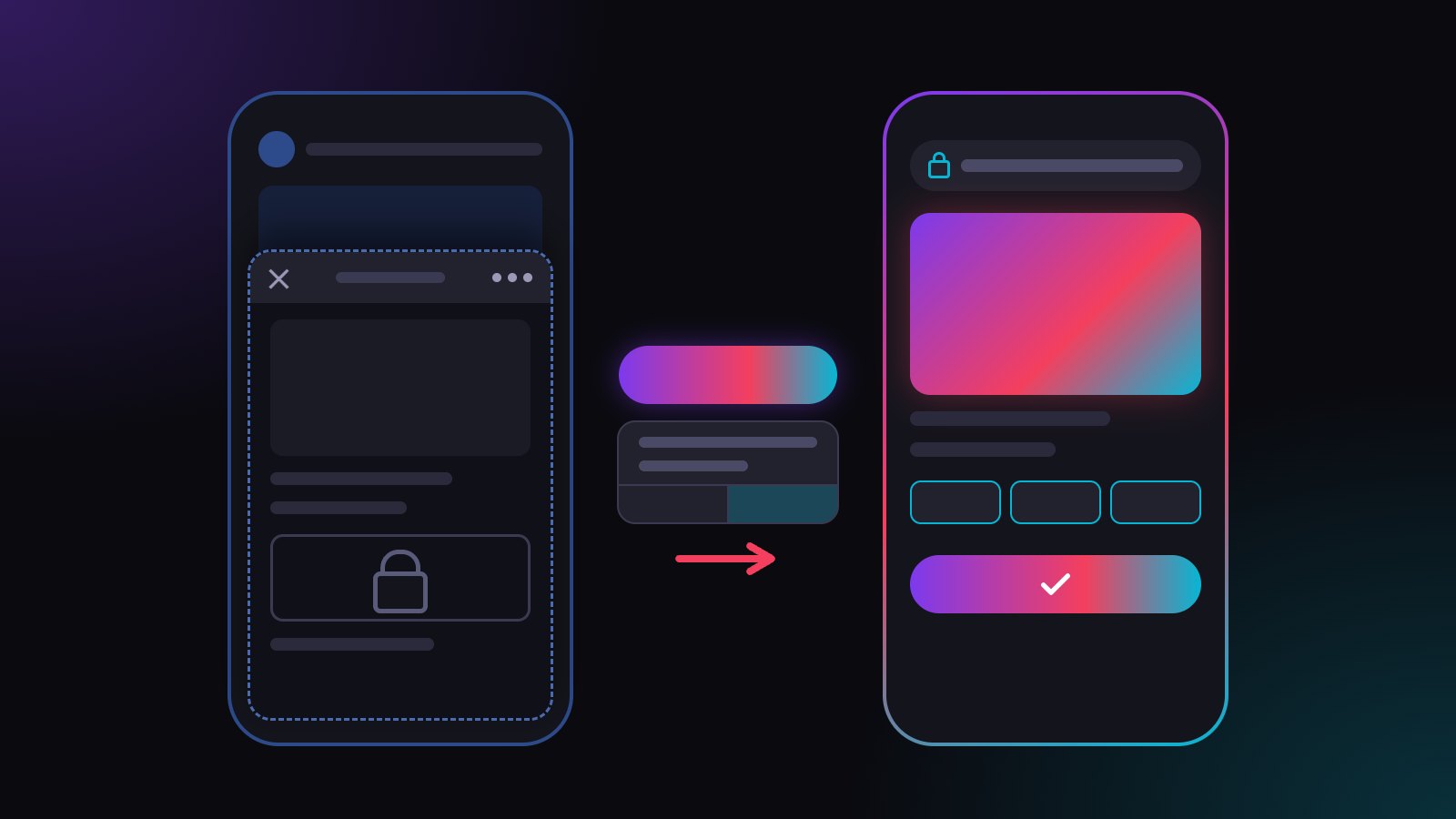
Facebook does not hand links to Safari. It opens them in its in-app browser, a small browser inside the Facebook app. Your page slides up on top of the feed, and one tap on ✕ brings your fan back to scrolling.
That is on purpose: Facebook wants people to stay in Facebook. If you want the basics first, read what an in-app browser is.
What goes wrong for fans in Facebook's in-app browser?
The in-app browser keeps its own cookies, separate from Safari. A fan who is logged in to your shop, your membership platform or Spotify on their phone arrives logged out. Saved passwords and autofill are missing, so every login or checkout starts with typing.
Links to apps often stay on the website instead of opening the app. And payment steps can stall, which costs you real money on tip and membership pages. The full list is in in-app browser vs real browser.
Can fans open the link in Safari themselves?
Yes, through the three-dot menu of the in-app browser, where Facebook offers to open the page in the browser. Few people do it. Most do not know the menu exists, and a line like "open in Safari" in your post costs attention and still loses most taps.
How does a plugwith.me link get fans from Facebook into Safari?
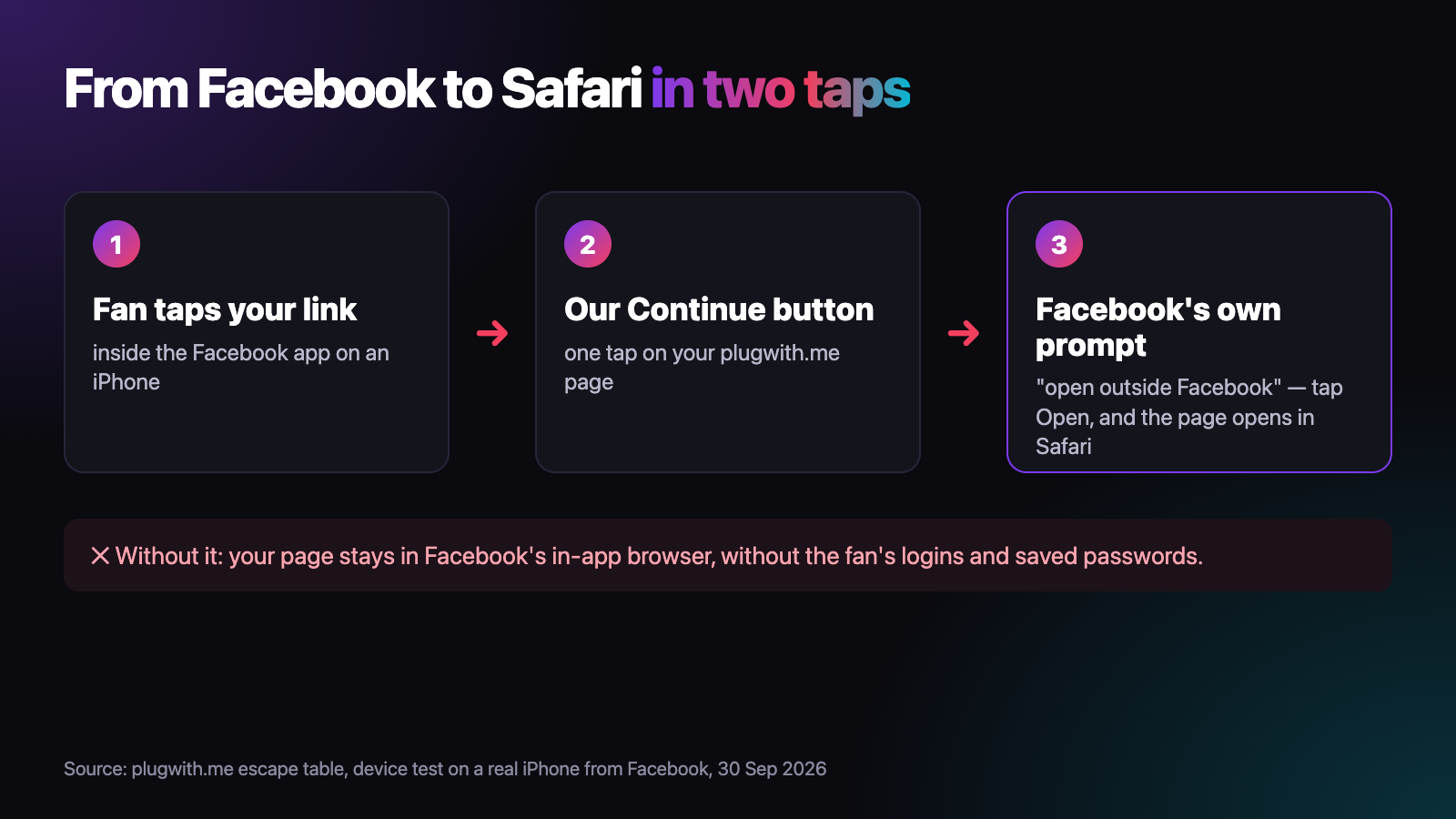
You share one plugwith.me/yourname link instead of the bare URL. When a fan taps it inside the Facebook app on an iPhone, our page shows a Continue button. One tap, and Facebook's own prompt asks whether to open the page outside Facebook. One tap on Open, and your page is in Safari, with the fan's logins and saved passwords back. We confirmed this on a real iPhone on 30 September 2026.
- No "open in Safari" instructions in your posts.
- Your destination stays flexible. Change it in your dashboard, and every post that carries the link follows.
- Two taps from Facebook to Safari, confirmed on a real iPhone.
Where should I put the link on Facebook?
Wherever fans can tap it: the website field in your Page's intro, your posts and your replies in the comments. Facebook opens every link in the same in-app browser, and the plugwith.me link behaves the same wherever it is tapped.
Should I use one link for Facebook and Instagram?
Use one link per platform. Create a plugwith.me link with its own slug for Facebook and another for Instagram. Both can point to the same page, and your dashboard shows separately which platform sends fans. Agencies running several creators find the full setup in link tracking per creator and platform.
Does this work on my other channels too?
Yes. On iPhone we have confirmed the route out of the in-app browser on a real device from Instagram, WhatsApp, Threads and Telegram as well. On Instagram, Meta's own "open outside Instagram" dialog comes first, one tap on Open. On WhatsApp and Telegram, the real browser opens immediately. From Threads, the visitor lands in Safari with no confirmation step. More in our guide to escaping the in-app browser.
Want to see the problem on your own phone first? Open the free WebView test from a Facebook post. It shows which browser you are really in. Create your free plugwith.me link, no card needed.
Not ready to switch? Get occasional product updates and tips by email: subscribe to the plugwith.me newsletter.
Frequently asked questions
Why does Facebook open my link inside the app?
Facebook loads links in its own in-app browser so people stay in Facebook. Your link is fine; it is the browser around it that is different from Safari.
How do I open a Facebook link in Safari myself?
Tap the three-dot menu of the in-app browser and choose the option to open the page in your browser. The exact label depends on the app version.
Can I stop Facebook from opening my link in its browser for my fans?
Not through Facebook. The setting lives in each fan's app, not on your Page. What you control is the link, and a plugwith.me link takes the fan to Safari for you.
Why does it take two taps from Facebook?
Facebook asks before a page opens anything outside the app. Our Continue button gives Facebook the tap it needs, and then Facebook's own prompt asks once more. One tap on Open, and the page is in Safari.
Should I use the same link on Facebook and Instagram?
Use one plugwith.me link per platform, each with its own slug. Both can point to the same destination, and your dashboard shows separately how many fans each platform sends.
Get Instagram taps out of the in-app browser.
Made for Facebook · In-App Browser. From Instagram, one plugwith.me link leaves the in-app browser and opens your fan's real browser, with one tap on Instagram's own confirmation.
Create your free link →Keep reading
- Why Your Spotify Link Won't Open the App from Instagram (and the Fix)
- Whatnot & TikTok Shop Checkouts Fail Inside Instagram — Here's the Fix
- What Is a Deeplink? Universal Links, App Links and URI Schemes Explained
- The complete guide to escaping in-app browsers
- Test your own link inside an in-app browser