Link in Bio: Why It Ends in an In-App Browser You Don't Control
Short answer
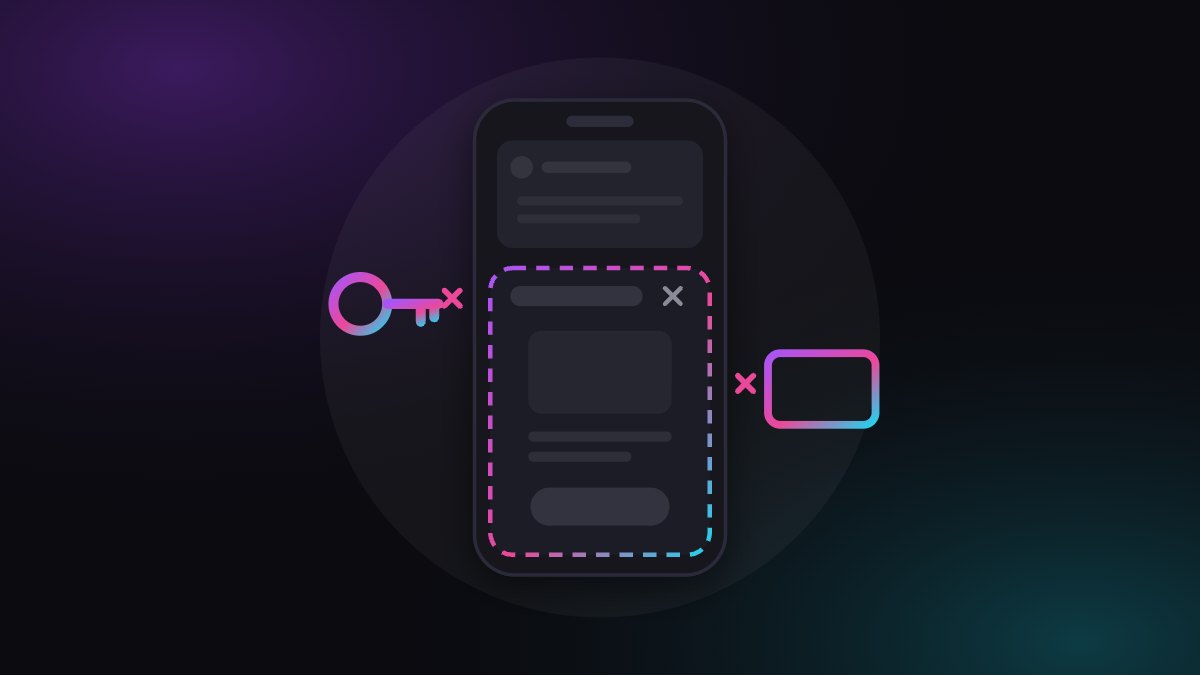
A tap on your link in bio often opens a browser window that the app controls, not the one your visitor uses every day. Chrome's own documentation says a WebView shares no state with the browser, so saved logins and payment methods may be missing. Check your own link from inside the app instead of hoping.
You optimise the hook, the caption and the offer. The most important step, the tap on your link, happens in an environment another app controls. That is not a detail. It is a blind spot in your funnel.
What happens when someone taps your link in bio?
A reel is doing well. Someone taps the link in your bio. Instead of Safari or Chrome, a window opens inside the app. The page loads, but the saved password is missing, the payment method isn't there, the address has to be typed by hand.
You see none of this. Your stats say: click, no purchase. Maybe your offer wasn't bad. The environment was just different from what you assume.
What is an in-app browser, in one sentence?
An app such as Instagram or Facebook shows web pages in its own window instead of launching the device's browser. Technically that is usually a WebView on iOS, and a WebView or a Custom Tab on Android. For the full picture, read what an in-app browser is.
What is documented about in-app browsers?
1. A WebView shares nothing with the real browser. Chrome's developer documentation on Custom Tabs says WebViews don't support all features of the web platform and don't share state with the browser. In a Custom Tab, by the same documentation, the browsing session, saved passwords, payment methods and addresses show up as usual. Which variant an app picks decides whether your visitor has their usual helpers at checkout, and you don't get to decide.
2. The host app can read along and intervene. Developer Felix Krause showed in 2022 that the iOS Instagram and Facebook apps inject their own JavaScript into web pages opened in their in-app browser. According to his post, Meta told him this helps aggregate events such as online purchases before they are used for targeted advertising and measurement, and that Meta follows the App Tracking Transparency rules. He also lists what a host app could technically do, such as inject ads or swap links for ones with its own referral code. That is a description of what is possible, not proof that it happens to you. Browser extensions and content blockers of the visitor are not available in an in-app browser either.
3. The platforms see it differently. The Custom Tabs documentation argues they offer a better experience than launching an external browser and reduce the risk of users abandoning the app. That is the app owner's view: whoever stays in the app stays in the app. For you, with a link that leads out, the maths is different.
How much do in-app browsers cost creators?
Nobody can tell you. I found no solid study that puts a number on how much revenue creators lose to in-app browsers. Anyone who gives you a percentage without showing the measurement is selling you a story.
My assumption, labelled as one: when saved credentials and payment methods are missing, checkout gets harder, and harder checkouts get abandoned more often. That follows from the documentation above but is not measured for your funnel. Whether it matters a lot or barely depends on your offer, your audience and your platform.
My opinion: you don't know the last metre of your funnel
The lever isn't the browser. The lever is that most creators and agencies never look at the moment after the tap. Nobody would open a shop and never look at the front door. Yet that is what happens every day with the link in bio. Creators invest in thumbnail, caption and bio text, and the moment after the tap stays invisible. Invisible usually means ignored.
The biggest misunderstanding: a click in your stats is not a visitor on your page. At first it is a visitor inside another app's environment.
What can you do about it today?
- Look at your link the way visitors see it. Open it from inside the app, on a second device or with a fresh profile, not in the browser you pasted it into. Does it load? Are passwords and payment methods there? Do people have to sign in again? The free WebView test shows which browser you are really in.
- Compare the paths. Open the same link once in the app and once in your normal browser. Where you have checkout or sign-in steps, the difference shows most. Write down what is different. That is your own measurement: smaller than a study, but closer to your reality.
- Shorten the path. Every extra step is extra risk. One page with one clear goal beats a page with ten links. That is opinion, not measurement, but step 2 lets you test it yourself.
- Land visitors in the real browser. One plugwith.me link takes visitors from Instagram or Facebook on iPhone into the normal browser, with their own logins and saved payment methods. On Instagram, the visitor confirms Meta's own dialog with one tap. On Facebook it takes two steps: our Continue button, then the app's dialog. See how each escape works.
- If you run several accounts, turn steps 1 and 2 into a routine. A link that looked fine three months ago can land differently today because apps change behaviour. In-app browser vs real browser lists what to look for.
Bottom line
- Documented: per Chrome's docs, WebViews don't share state with the browser; per Krause, host apps can inject code.
- Assumption: this costs completions. Nobody knows the size until you measure.
- Opinion: if you build reach, control the moment after the tap too.
Try it today: open your bio link in the app, not in the browser. If you hesitate at any point, you have found something. Create your free plugwith.me link, no card needed.
Not ready to switch? Get occasional product updates and tips by email: subscribe to the plugwith.me newsletter.
Frequently asked questions
Why does my link in bio open inside the app?
Apps such as Instagram and Facebook show web pages in their own window instead of starting the device's browser. That keeps people in the app, which is the app owner's goal, not yours.
Does an in-app browser really cost creators sales?
Nobody has published a reliable number for creators. What is documented: a WebView does not share state with the browser, so saved passwords and payment methods can be missing. That makes checkout harder; how much it costs you, only your own comparison shows.
Can an app read what my visitors do on my page?
In 2022 developer Felix Krause showed that the iOS Instagram and Facebook apps inject their own JavaScript into pages opened in their in-app browser. He describes what is technically possible, which is not proof of what happens on your page.
How do I check what my visitors see?
Open your own link from inside the app, on a second device or a fresh profile, and then once in your normal browser. Compare logins, saved payment methods and the number of steps.
How do I get visitors out of the in-app browser?
On iPhone, a plugwith.me link takes visitors from Instagram or Facebook into the real browser. On Instagram they confirm Meta's own dialog with one tap; on Facebook it takes two steps.
Get Instagram taps out of the in-app browser.
Made for Link in Bio · In-App Browser. From Instagram, one plugwith.me link leaves the in-app browser and opens your fan's real browser, with one tap on Instagram's own confirmation.
Create your free link →Keep reading
- Why Your Spotify Link Won't Open the App from Instagram (and the Fix)
- Whatnot & TikTok Shop Checkouts Fail Inside Instagram — Here's the Fix
- What Is a Deeplink? Universal Links, App Links and URI Schemes Explained
- The complete guide to escaping in-app browsers
- Test your own link inside an in-app browser